Agentic CLI Tools and MCP Servers: The Future of Context-Aware Development

An Overview of MCP and Agentic CLI Tools
1. Background on dev tools and the introduction of AI
For the sake of this article, I will assume total unfamiliarity with the world of AI developer tools. Actually, I'll even take a step back and give a brief explanation of what an IDE and a CLI are so that a non-developer can also follow along: "IDE" stands for Integrated Development Environment. It's a GUI (which itself stands for Graphical User Interface, or a visual layer) for developers which integrates a variety of tools to facilitate and enhance the development experience. Most developers do not write their code directly into raw text editors and just hope for the best. They write code in IDEs, which have long provided debuggers, code correction suggestions/tools, and autocomplete. I'm writing this post in a markdown file in VSCode, my old reliable IDE. "CLI," meanwhile, stands for Command-Line Interface. The CLI may be a little more abstract to a non-developer or to someone who has only used computers in the post-GUI world. When you open the command prompt (mostly replaced with PowerShell on newer Windows computers), it's the black background with the white text. CLIs are useful for running scripts directly without the overhead of GUIs. There are different kinds of CLIs, such as PowerShell, Gitbash, and WSL, which is based on the Linux CLI. If you have ever wondered -- as I used to in my pre-developer days -- why Linux seems to have a special reputation in dev and IT communities as a technical tool, the answer goes back to its very powerful CLI.
For decades, these two interfaces — graphical IDEs and text-based CLIs — have formed the twin pillars of developer productivity. In recent years, the introduction of LLMs such as ChatGPT, Gemini, and Claude have added to the developer toolbox by integrating AI functionality with traditional automation or dev processes. I wanted to start with that foundation because AI integrations have evolved alongside these tools. When extensions such as Github Copilot and Codeium were initially introduced into IDEs such as VSCode, their functionality primarily revolved around adding chat to the IDE (sort of like ChatGPT but in your VSCode) and advanced forms of autocomplete for code. At the time, these tools seemed novel. I remember working with a very senior developer who was highly impressed by how Copilot could intuit unit tests based on the functions elsewhere in your codebase and create them wholly with predictive functionality.
In 2025, however, AI IDE/CLI tools have embraced something new: agentic features.
2. What Does “Agentic” Mean?
When we describe an AI system as agentic, we mean it can act with context, memory, and goals. Instead of simply responding to each command independently, an agentic tool can maintain awareness of your current task, plan multi-step actions, and even call APIs or run shell commands to achieve your objective.
Think of it as the difference between telling a calculator “add 5 and 5” versus asking an assistant “set up a new project, install dependencies, and deploy it.” The first executes a single command; the second understands intent and coordinates multiple actions to fulfill it. The practical implications of this are that developers can now use these tools for complex workflows that go far beyond earlier AI integrations which mostly focused on chat or autocomplete. Agentic models now have the ability to execute multiple tasks in a sequence based on commands given to the model. "Update the README and push this code to Github," for example, becomes an instruction which can be "translated" by the agent and run as multiple sequential commands. It's easy to see how this can simplify or enhance a developer's workflow by essentially adding an abstraction layer that condenses common tasks or CLI commands. It's equally easy to see how this could potentially cause problems if instructions are overly broad and how it can necessitate awarenesses of good practices with prompting.
3. What Are Agentic CLI Tools And How Do They Fit In The AI Ecosystem?
As I discussed above, IDEs and CLIs constitute the twin pillars of dev work. Agentic AI tools blend these interfaces with context-aware intelligence, giving developers an assistant that can act, plan, and reason across multiple steps. Some of the most popular tools include:
-
Cursor – A context-aware IDE assistant that uses GPT models to provide code completions, context-sensitive refactors, and in-editor suggestions, reducing the need to switch between documentation, GitHub, and your codebase.
-
Amazon Q CLI – A terminal-focused agentic assistant capable of querying APIs, inspecting servers, and integrating with MCP endpoints to fetch or modify live data. It turns the CLI into a smart, multi-step orchestrator.
-
Cline – Provides a lightweight agentic interface for executing repetitive tasks, automating shell commands, and linking AI reasoning with scripts.
-
Copilot CLI – GitHub’s evolution of Copilot into the command line; it interprets your intent to run sequences of commands, refactor code, or interact with APIs in a conversational way.
These tools share a common goal: instead of leaving the developer to manually manage every single step, the agent acts as a partner, maintaining context across tasks and making your workflow more fluid. When paired with MCP (which we’ll discuss next), they gain the ability to share state across multiple tools and services, making the agentic CLI not just smart, but aware.
2. Enter the Model Context Protocol (MCP)
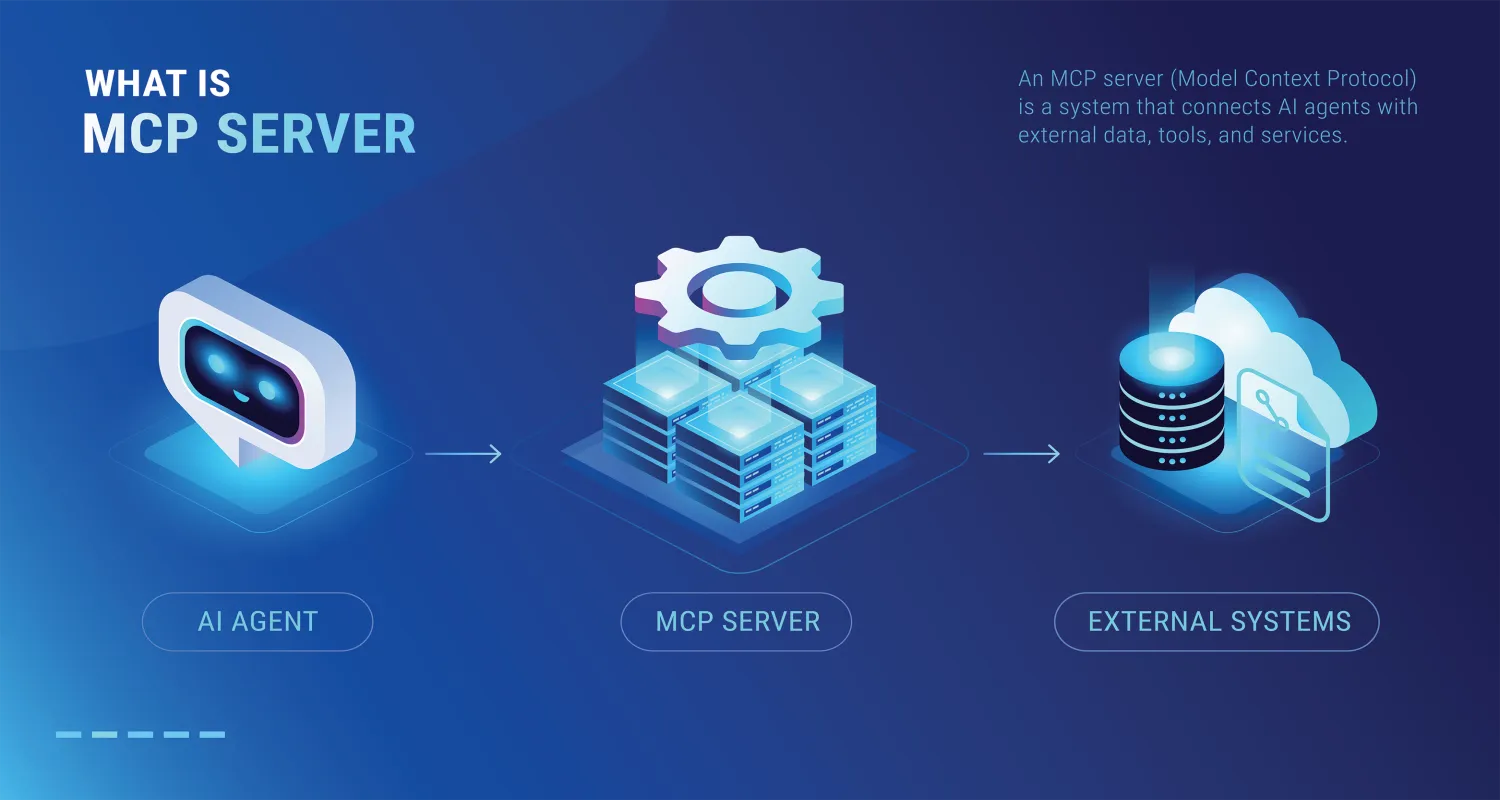
The Model Context Protocol (MCP) is an emerging standard for connecting AI models with developer tools in a shared, structured context. Think of it as a universal language for tools and models to "talk" to each other, pass information, and coordinate actions reliably.
Why it matters:
Standardization: MCP ensures that any agentic tool, regardless of vendor, can read from and write to a shared context, making interoperability easier.
Live, consistent context: When your AI model queries a server or performs a multi-step task, it knows the state of your codebase, CLI session, or project environment, reducing redundant prompts or errors.
Tool-agnostic development: Once your MCP endpoint is set up, multiple AI tools can interact with it seamlessly -- whether for fetching documentation, triggering scripts, or querying live server data.
For example, my own MCP server exposes endpoints like /mcp/posts, letting Amazon Q or any MCP-aware tool query my blog posts in real time. This allows me to build live demos or integrate AI-driven workflows without hardcoding data in multiple places. MCP is essentially the glue that makes agentic CLI tools not just assistants, but collaborative partners.
3. Real-World Use Cases
So what are the developer use cases for these AI collaborations? Code generation is pretty obvious and self-explanatory, and the ability to "see" your codebase and act on prompts can of course help with refactors, README edits, and doc lookup. These are all significant use cases unto themselves and I think most developers nowadays are already pretty familiar with these options. However, the proliferation of MCP servers and their interaction with agentic tools means that developers can go much farther and potentially enhance virtually every aspect of their environment.
For example, Docker, MongoDB, and Chrome DevTools all have MCP servers. Every MCP server acts a bridge between a developer tool or ecosystem. An AI agent could use the MongoDB MCP server to query collections and documents and suggest schema improvements. It could use the Docker MCP server to list running containers and build or deploy images. The agent could spin up development environments on demand.
Imagine a development workflow:
You tell your AI assistant: "Spin up a new Node.js API that connects to MongoDB and runs in Docker."
The agent calls:
The Docker MCP server to create a container and map ports.
The MongoDB MCP server to provision a database and credentials.
The Filesystem MCP server to scaffold the app files and write environment configs.
Then it confirms everything is running and ready for you to code.
That’s multi-agent orchestration -- one model coordinating across tools using standardized MCP interfaces.
4. My Experience So Far
So this is the part where I have to be completely honest: I'm still a little new to this emerging technology. I've seen "MCP" everywhere, I've read the comparisons to API and USB ports, but I hadn't felt it was strictly necessary to integrate the tech into my workflow and it felt like some effort upfront while I'm currently learning/building a lot of other things.
But truthfully? I'm getting past that. I've acknowledged recently on my LinkedIn that if there's one thing I'm looking to change about myself as a developer, it's shipping faster and worrying less about perfectionism. I think agentic tools and MCP servers, integrated smartly as part of a solid workflow, can really help me be the kind of developer who gets more opportunities. In particular, I'm interested in startup work, fractional opportunities and consulting, and freelance, and all of those spaces demand developers who can iterate fast. In light of this, it just makes sense to integrate these tools.
I will write more about my specific experiences with agentic tools, particularly CLI tools, and MCP servers, in the next couple of blog posts! So stay tuned!
5. What Comes Next
Where will developers go from here? I think the evidence points to our environments becoming increasingly integrated. The addition of MCP servers and agentic AI can make our IDEs, GUIs, and dev tools increasingly interconnected in ways that facilitate rapid scaffolding and iteration. My hunch is that developers who take the time to understand and integrate these new technologies will be poised for success for the kinds of workflows that are increasingly expected of us. Personally, I'm excited about how these workflows can facilitate more focus towards architecture and possibly product big picture thinking by reducing the time needed to scaffold boilerplate code, but, having tested these agentic tools, I think some guardrails will be needed to really take advantage of the benefits. One huge guardrail I'm learning about is spec-driven development, which I will be writing another post about.
Meanwhile, there's some excellent writing out there about agentic AI and MCP servers. I would recommend some of the following resources for further reading: